By clicking "See Rippling," you agree to the use of your data in accordance with Rippling's Privacy Notice, including for marketing purposes. Terms apply to the 3 month free promo.
Integrations
Push your apps to perform at their best
Rippling integrations keep your teams productive and your systems in sync—helping you get more from the tools you use most.
Single source of truth
Create a unified app experience
Native integrations don’t just keep your systems in sync. They unlock rich platform capabilities for greater control over your entire tech stack.
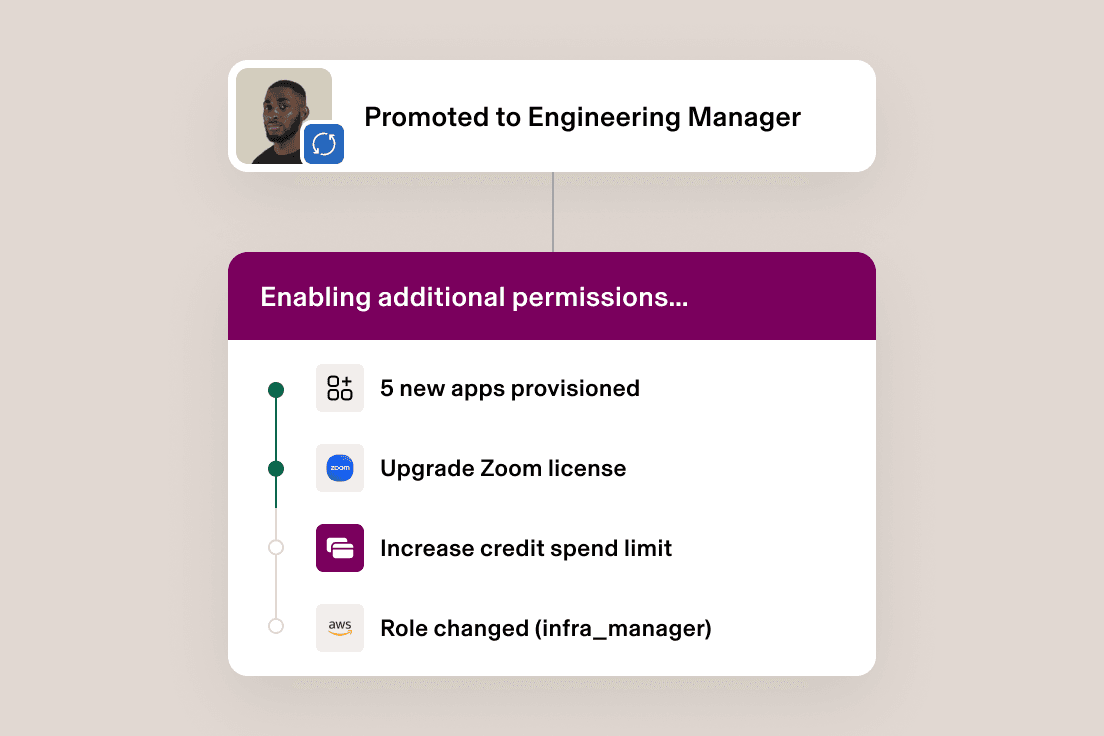
Automate app management
Supergroup rules for app access let you group, manage, and automate user permissions to your integrated apps as roles change across the employee life cycle.
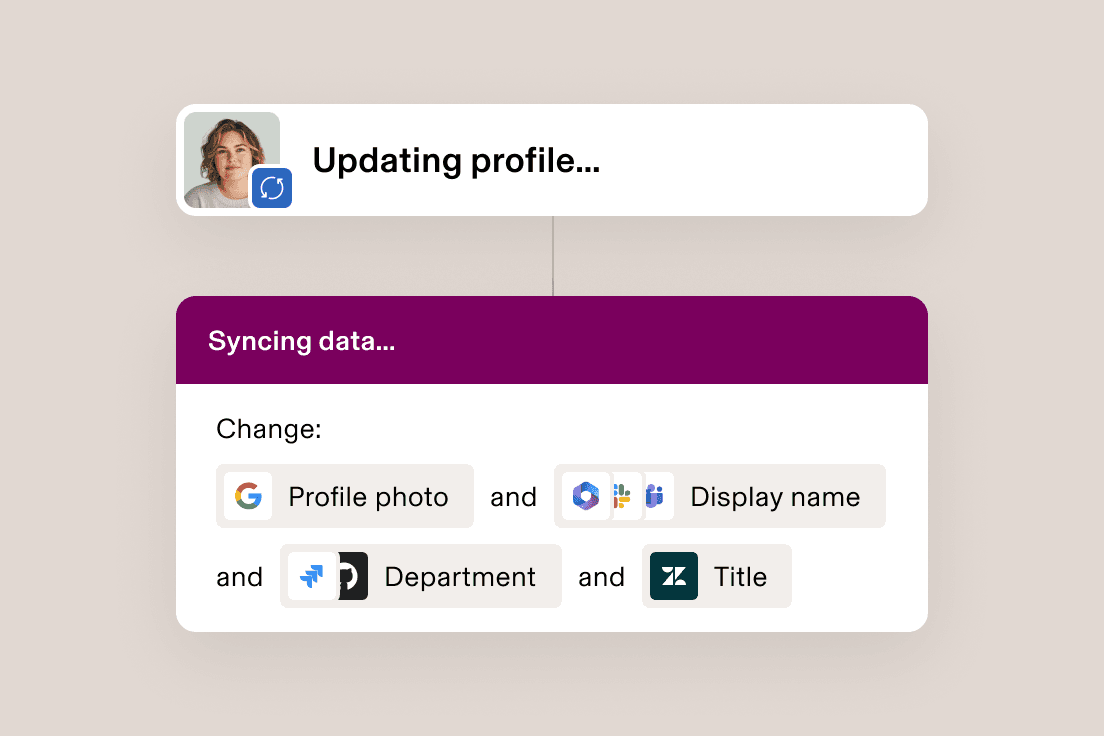
Cascade changes across apps
Attribute mapping allows updates made to user fields in Rippling—like photo, department, or preferred name—to automatically apply to your third-party apps.
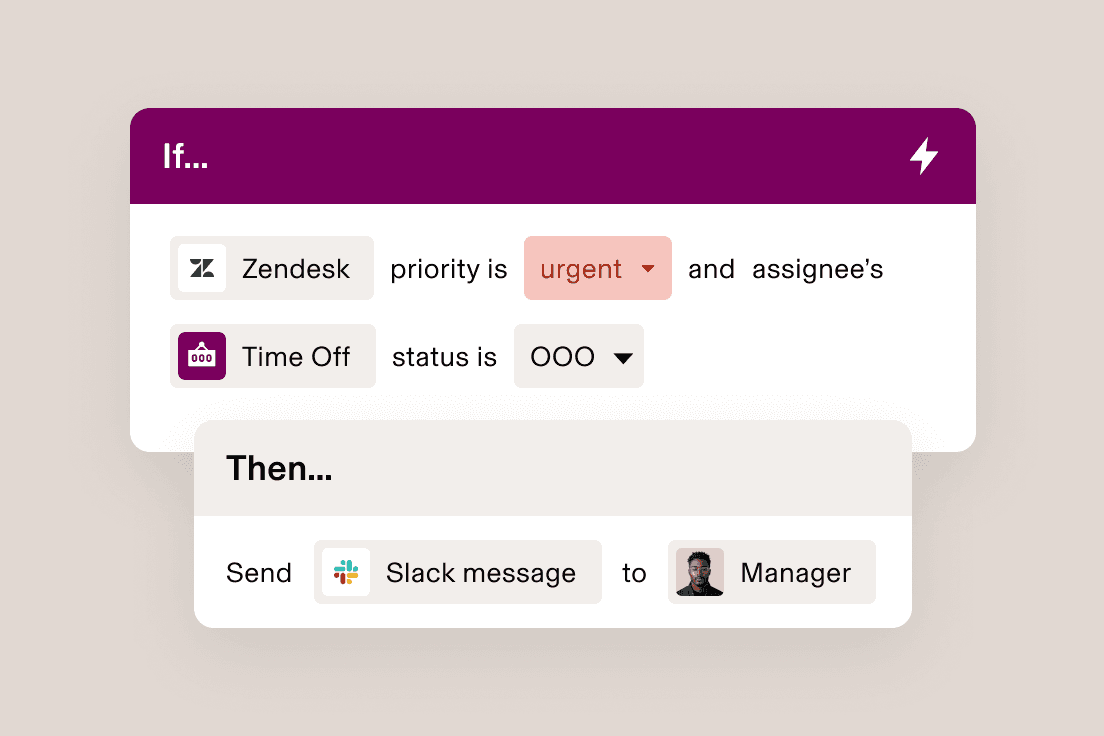
Keep the work flowing
Use Rippling’s platform capabilities to run reports across your third-party app data or trigger workflows–like automating a Slack alert based on a Zendesk ticket.
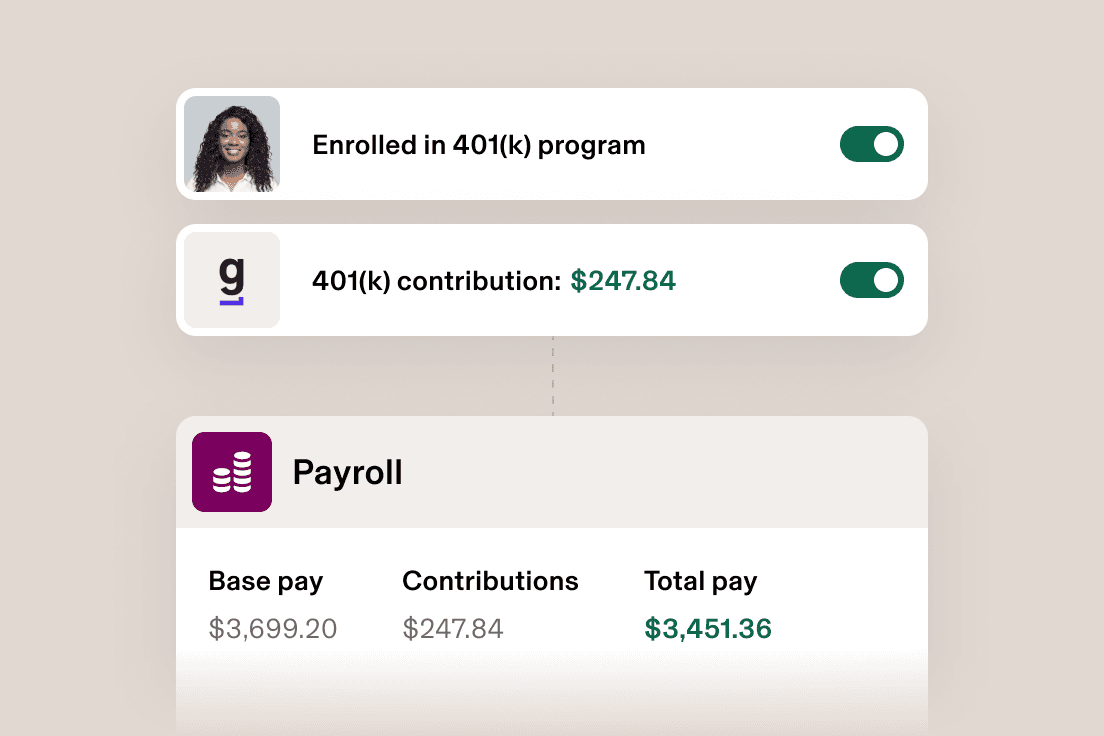
Get your apps talking
Eliminate busywork on both ends by keeping everything in sync, like sending contribution choices to your 401(k) provider and then pulling that data into Payroll.
Identity & Access Management
Get access right, every time
Automatically grant the right people the right level of access to third-party applications—right when they need them.
Efficient
Automatically provision and deprovision accounts from onboarding to offboarding.
Secure
Deploy Single Sign-On and RPass so your people don’t need to remember complicated passwords.
Dynamic
Leverage hundreds of user attributes to automatically manage user groups within your apps.

“Rippling’s pre-built integrations made it painless to integrate third-party apps and set up Single Sign-On for our SOC 2 report. Instead of getting bogged down in busy work, our engineers are able to focus on projects for the core business.”
Nick Stanish
Founding Engineer at Reserv
“Each time we roll out new software I am impressed by how easy Rippling makes the integration process. Rippling is constantly improving and releasing new features each month, and I’m always looking forward to the next innovation.”
Brian Cahill
Head of IT at Frogslayer
“I used to have to bother IT each time an employee became a manager or moved teams to get them added to the right groups in apps. Now, Rippling automatically updates their permission level without us ever having to think about it. It saves us a ton of time and headache.”
Cassandra Margolin
Head of People at Jasper
“It’s great that Rippling integrates with so many of our existing systems, including Cylance, a security suite that helps prevent malware and viruses.”
Scott Kaufmann
Managing Partner at Highnoon
Custom integrations
Build it in Rippling
Don’t see the integration you’re looking for? Leverage developer kits to create and publish your own in the Rippling App Shop.

Browse our full integrations library
Explore hundreds of integrations to business systems your teams use everyday.
FAQs
What’s the difference between connectors and plugins?
Connectors make third-party data reusable in Rippling, so it can be governed, joined with workforce data, and used across RAI, reports, dashboards, and workflows.
Plugins let Rippling AI work with a third-party system live, including current lookups and actions under the user’s connected account.
When should I use a connector vs. a plugin?
Use Connectors if you want to set up workflows, custom apps, analytics, and manage permissions all in Rippling. Connectors are best for repeatable use cases where third-party data needs to be combined with Rippling data.
Use Plugins if you want the content and permissions governance to remain in the third-party product. Plugins use LLMs to query the data; results may vary. Plugins are best for one-off questions, surgical edits, or accessing information that should remain in its original source of truth, like Confluence, Notion, and Slack
How do permissions work?
Connectors bring data into Rippling, where access can be managed through Rippling permissions.
With plugins, admins can control which employees are allowed to invoke each plugin. Plugin access is also governed by the user’s permissions in the connected third-party system, so employees can only use supported plugin data and actions within the access they already have.
Can Rippling make changes in third-party systems?
Yes. With write actions enabled, plugins can help Rippling AI take targeted actions in third-party systems, such as sending a message, creating an issue, or updating an external record. Depending on how the plugin is configured, write actions may require user confirmation before they’re executed. More structured writeback use cases can also be supported through custom apps or technical implementations.