En cliquant sur « See Rippling », vous acceptez l’utilisation de vos données conformément à l’Avis de confidentialité de Rippling, y compris à des fins de marketing.
Payroll Compliance Software
Comply effortlessly with all payroll forms and tax filings
Automatically calculate, withhold, and pay taxes
Rippling calculates all your taxes and submits your tax forms and payments automatically. The platform monitors tax laws at the federal, state, and local levels to ensure total tax compliance for your organization.
Additional complexity where you need it
Rippling Payroll comes prebuilt with all the standard wage types and deductions. It also allows you to create custom pay codes so you can specify the tax rules. You can even include as many earnings as you’d like on a paycheck, and they will each be taxed according to the rules you set.
Easily collect and manage withholdings for employees
Paperless form collection
When employees are onboarding through Rippling, they receive up-to-date W-4s and state tax forms that they can complete electronically. Employees can also easily update their tax forms at any time through the Rippling website or mobile app.
Automatic sync to payroll
Employee withholdings automatically flow into payroll, so you'll never need to manually enter withholding amounts. Rippling's payroll software also correctly calculates and deducts all taxes from employee paychecks, saving you valuable time.
Digital storage
Rippling stores electronic copies of all employee tax forms for reference or audit purposes. They're all attached to an employee's profile—even after termination—so you'll only ever need to look in one place for any form.
Effortlessly complete tax filings
Payroll forms
Rippling automatically files your quarterly 941s, annual W-3s, new hire reporting, and state-specific tax forms. For your employees, Rippling's payroll system creates year-end W-2s that employees can download directly from Rippling.
ACA documents
Rippling automates ACA filing by generating your company's 1094-C for the IRS and 1095-Cs for your employees.
1099s
At the end of the year, Rippling will automatically generate and distribute 1099 tax forms to your contractors. All current and past 1099 forms remain stored in Rippling.
Compare pay runs to pinpoint changes
Tax limits
Have you ever had an employee ask why their taxes changed? Rippling highlights tax limits directly in payroll, so you know exactly when an employee hits their State Unemployment Insurance (SUI) or Social Security wage limit.
Payroll comparisons
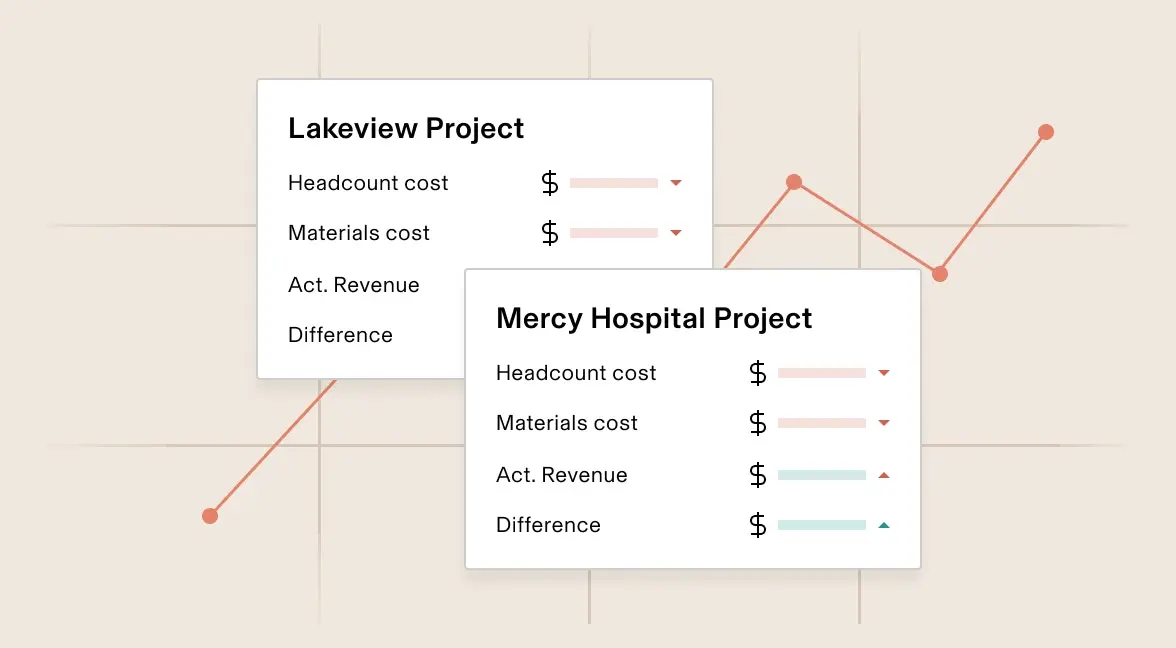
Follow changes throughout Rippling and know how they've affected payroll. For example, you can easily identify when and who added a bonus to a paycheck, spot employee benefit enrollment changes, and even see where Rippling has prorated a new hire's salary.
Have a single source of truth for all payroll data
- All payroll records at your fingertips
Rippling stores all of your critical payroll documents in one place so they are available instantly from anywhere. Unlike other payroll providers, Rippling does not have a storage limit and will never purge or archive your employee or company payroll documents, like individual paystubs and historical payroll registers.
- Reporting
With Rippling's reporting tools, you can create custom reports on all of your payroll and tax data, plus HR and IT. You can easily build advanced reports that include formulas, charts, and dynamic date ranges without needing to use any coding languages. You can also instantly share reports with customizable access for any user or group to download them as spreadsheets.
- Restricted access to all of your data
Create your own custom permissions to ensure that confidential payroll information is available only to the appropriate people. Grant limited access to third-party administrators—like your accountant or an auditor—so you don't need to manually download and email the reports.
Support
Get 1:1 support through HR Help Desk
Staying compliant is a challenge, and chances are you don’t have time to keep up with all the changing laws. Rippling’s HR Help Desk offering takes the guesswork out of payroll compliance, with a full content library, proactive alerts whenever laws change, a living handbook builder, access to HR and Payroll Advisors, and more. You’ll be more confident about tackling HR and compliance with expert resources to back you.

Avis publiés sur TrustRadius
« Rippling est la meilleure solution pour les entreprises qui évoluent vite. »
Évaluateur authentifié
Logiciels
Avis publiés sur Trustradius
« Rippling me permet de gérer facilement mon équipe mondiale »
Évaluateur authentifié
IT & Services Company
Avis publiés sur Trustradius
« Rippling fait économiser du temps, de l'argent et bien des soucis »
Évaluateur authentifié
Dotation en personnel et recrutement
Avis publiés sur Trustradius
« Rippling est un excellent choix pour les équipes à distance »
Évaluateur authentifié
Marketing et publicité
Avis publiés sur Trustradius
« Un produit formidable pour notre petite entreprise »
Évaluateur authentifié
Société de capital risque et de capital-investissement

See Rippling in action
Rippling is a single platform that can help your business manage all of its employee data and operations, no matter its size.
FAQ
How do you stay compliant with payroll?
Staying compliant with payroll involves accurately calculating and withholding taxes, filing all necessary payroll tax forms with the correct federal, state, and local authorities on time, and adhering to all relevant labor laws and regulatory mandates. This can be time-consuming and complex, requiring constant attention to changing regulations across different jurisdictions. Utilizing a comprehensive payroll software like Rippling is a key step in automating these processes and ensuring ongoing tax compliance.
What does payroll compliance software do?
Payroll compliance software, such as Rippling, automates critical aspects of the payroll process to ensure businesses adhere to all legal and regulatory requirements. This includes automatically calculating and withholding the correct payroll tax amounts, preparing and filing payroll tax forms, managing new hire reporting, handling year-end W-2 and 1099 forms, and keeping up-to-date with changing labor laws and tax regulations. It provides a centralized payroll system to manage all employee information and payroll reports, reducing the risk of costly errors and penalties.
How can payroll compliance software help my business?
Implementing payroll compliance software can significantly benefit any company—from small businesses to larger enterprises—by reducing the risk of payroll tax errors and penalties, saving valuable time by automating time-consuming tasks like tax calculations and filings, and ensuring adherence to complex and ever-changing regulatory requirements and labor laws. It provides peace of mind knowing your payroll process is accurate and compliant, freeing up your team to focus on core business activities. Features like employee self-service and direct deposit further streamline workflow and improve efficiency.
How do I choose an automated tax compliance software?
When choosing an automated tax compliance software, look for:
- Automations for calculating, withholding, and paying taxes
- Robust payroll reports
- Seamless integrations with your existing HCM and accounting systems
- A user-friendly and web-based platform with comprehensive functionality