You set the rules, AI gets access right every time
Rippling monitors your org in real time and automatically provisions or revokes access based on role changes, risk signals, and company policy.



Single source of truth for user and agent identity
Rippling is the only identity solution with your people and agents in one system—so access always reflects reality, with no SCIM lag, no stale syncs, and no manual cleanup.
Digital identities are unified across HR, devices and third-party apps, for always-accurate and up-to-date user data.
Every app, every OAuth grant, every AI tool your employees is using – sanctioned or not. Full visibility across your environment, in real time.
Configure workflows and trigger API calls based off of any action or data change inside Rippling or your connected apps.
Airtight access controls
Go beyond standard SCIM attributes. Leverage hundreds of user attributes to create custom zero-trust protocols and ensure that nothing slips through the cracks.
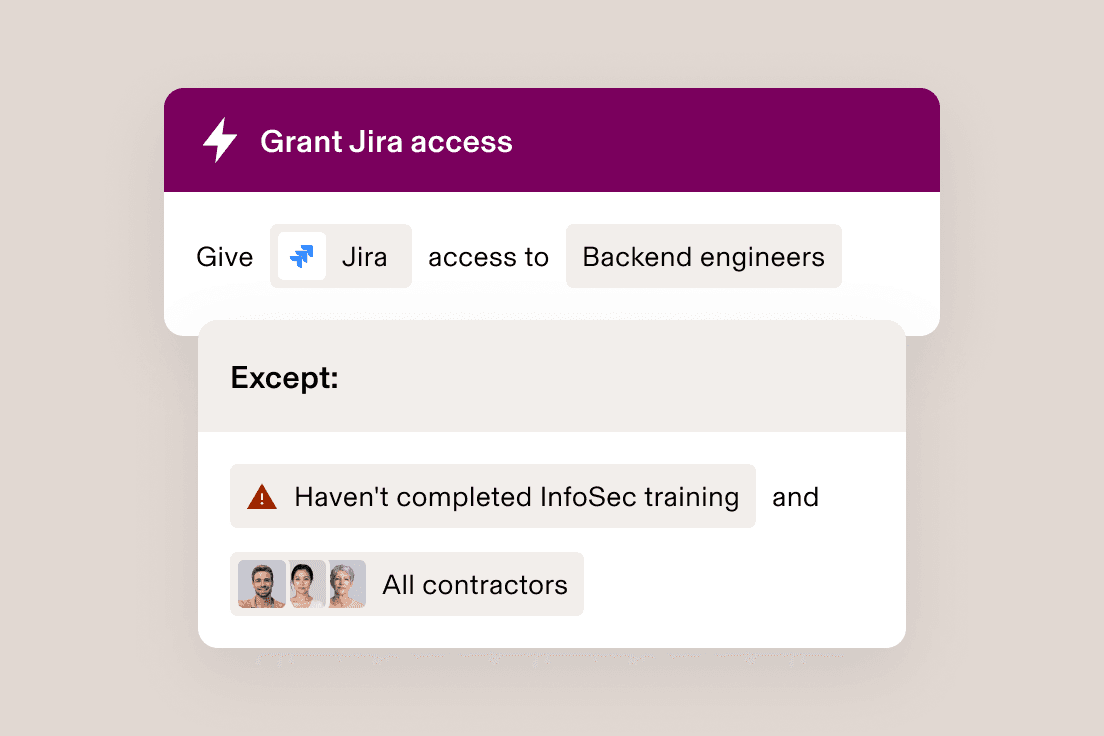
From provisioning accounts to managing group access, dynamic rules automatically ensure that the right people get the right level of access – even as their roles change.

Federated identity lets you handle any protocol with ease – from LDAP, Active Directory (AD), OIDC and RADIUS, to custom SCIM and SAML apps.
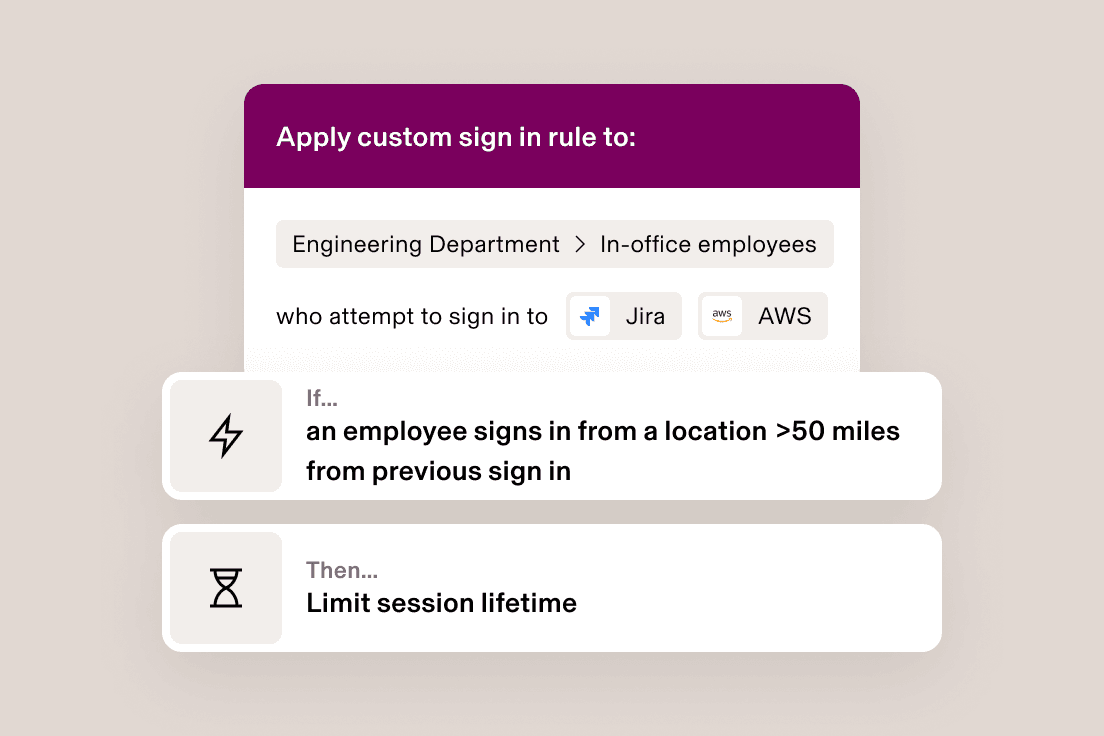
Strengthen cybersecurity with dynamic rules based on user roles, departments and behaviours, like automatically locking users out of your apps after suspicious activity.

With our built-in password manager, you’re able to enable user groups to securely store and share passwords in a zero-knowledge vault.
Deploy automations across the user lifecycle
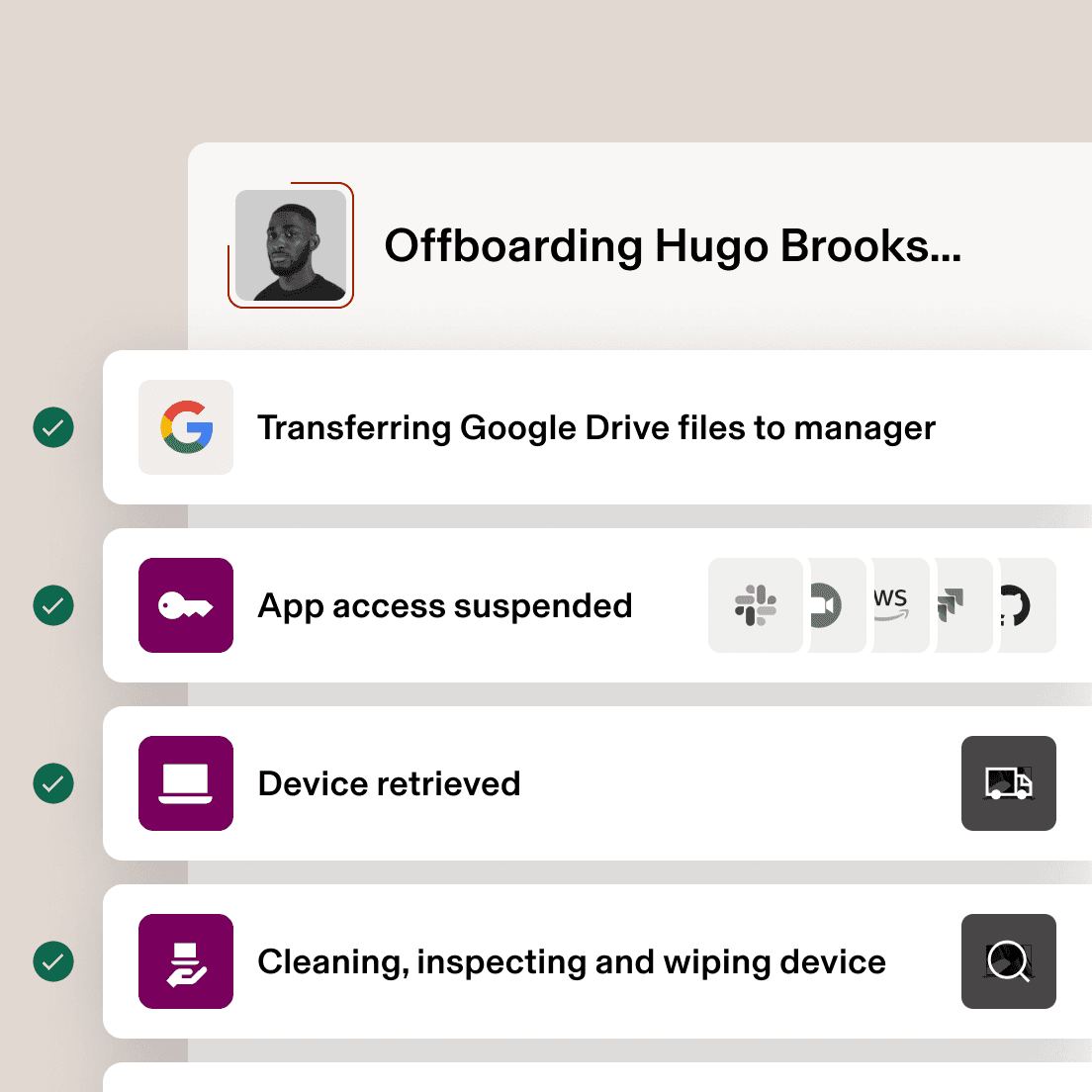
Stay in sync with HR and keep access up to date from onboarding to offboarding with custom approval chains, policies and workflows.
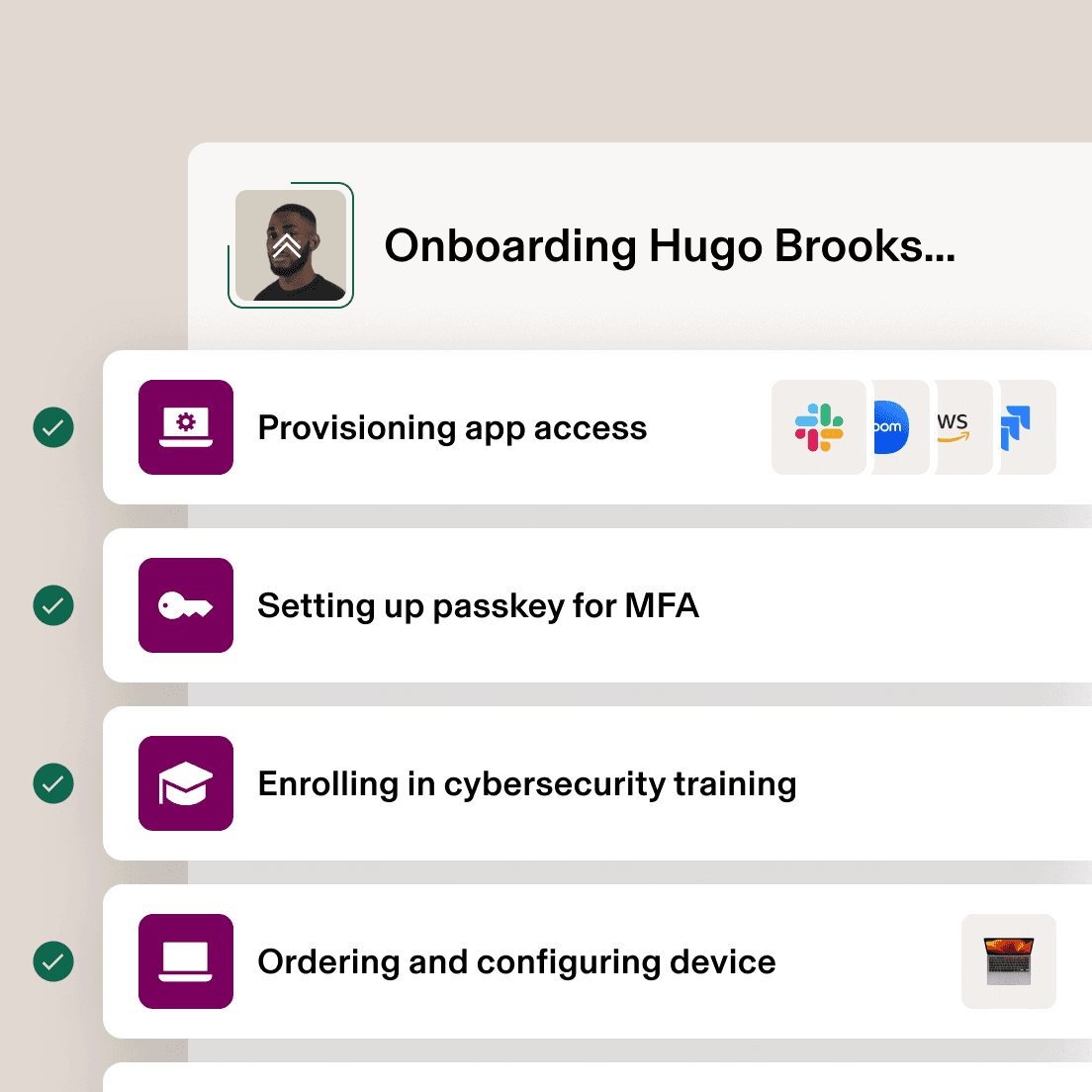
Onboarding
Schedule provisioning, passkeys, and third party group access for new hires down to the minute.
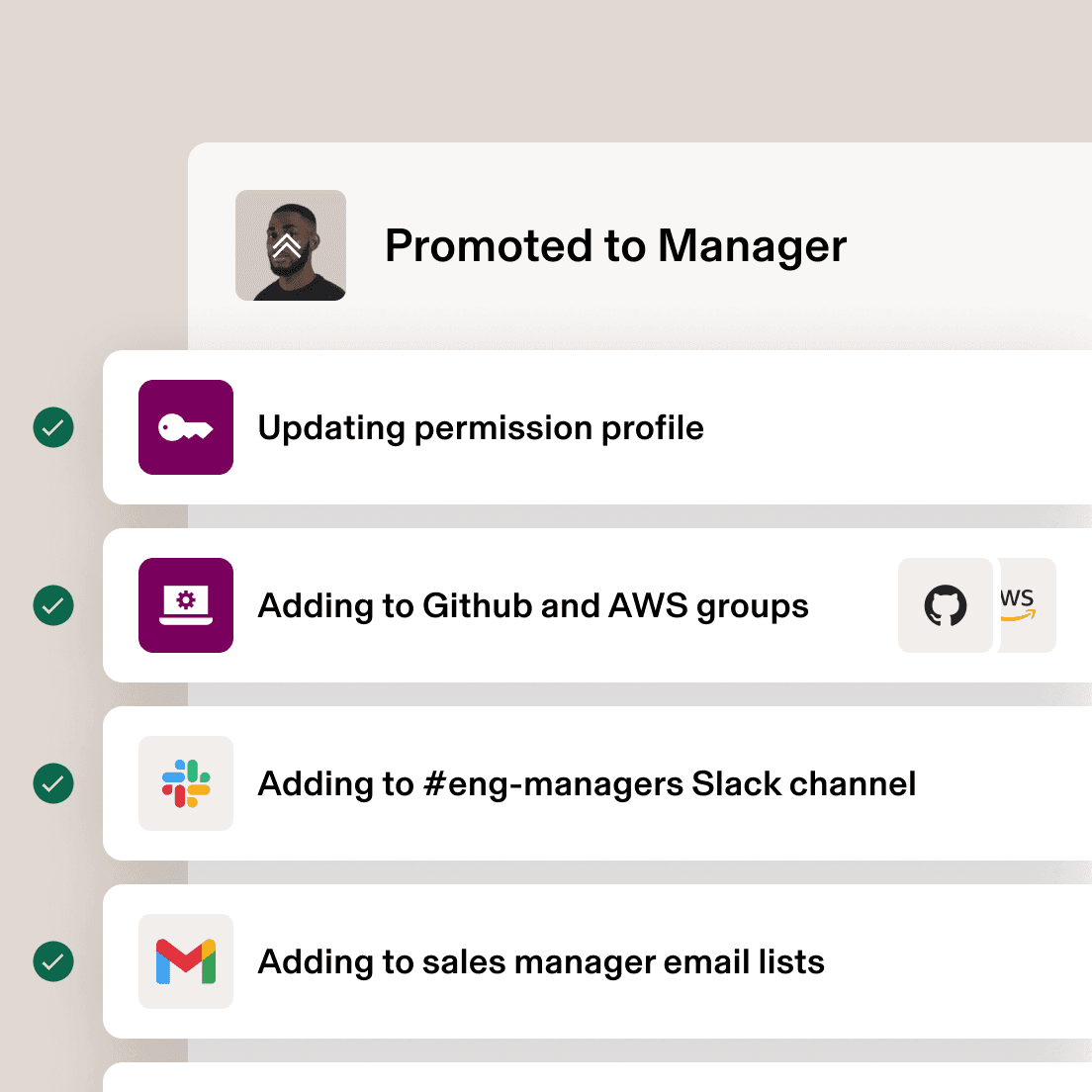
Transitions
Use approval chains and workflows to automate updates to user permissions and group access.
Offboarding
Coordinate with HR and other teams to suspend access, deprovision users, and schedule offboarding actions at the right time.
Level up your tech stack
Integrations don’t just keep your systems in sync. They unlock rich platform capabilities for greater control over your apps and users.
Companies that run on Rippling perform better





All the security tools you need – and then some
Identity & Access Management
Rippling has over 600 integrations with other SaaS products for user provisioning and deprovisioning, Single Sign-on, attribute syncing and more.
Build custom integrations to provide SSO with SAML, provisioning with JIT or SCIM, or create and scope URL links that employees can access from the Single Sign-on bar in Rippling.
Extend Rippling’s user directory (object graph) downstream to all your third-party applications, keeping your employee data up to date across all systems, in real time.
Create bespoke authentication policies for groups of employees, or even individual employees, based on their role. For example, you can require YubiKeys for Admins and TOTP for everyone else. It’s fully customisable, and it’s entirely your choice.
Rippling is a reseller for Google, allowing you to manage and purchase licensing directly within Rippling for those applications. Never hit a roadblock because you are out of licences when creating a new user.
Advanced functionality that automates the painful parts of offboarding an employee, deprovisioning their Google Account and transferring ownership. Reassign Google Drive files, transfer ownership of Calendar events, provide access to exiting employees’ Gmail, remove app-specific passwords and recovery information, and more.
RPass is Rippling’s natively built password manager. RPass makes it easy to securely store and share passwords among your team thanks to Supergroups, Rippling’s ability to build groups of employees based on any attribute. Prefer to use a different password manager? Not a problem – Rippling integrates with the tool that works best for you.
Everything in Rippling from app access to admin access is based on the employee’s role. Give everyone everything they need, and nothing they don’t.
Manage and organise key access for individuals and groups based on any employee attribute. Automatically revoke access during key moments in the employee lifecycle, such as a role change or termination.
One-click sign-in and authentication to all connected third-party applications once signed in to Rippling.
Automatically create or suspend users’ access to applications and licences based on predefined rules that you create. Provisioning can be done instantaneously, or be pre-scheduled to occur at a future date and time.
Seamlessly pull user data from Rippling into your legacy third-party applications and network hardware, such as firewall, NAS and more.
Ensure that employees have access to the right groups and resources within other applications and systems. From Google Groups to Slack Channels to Microsoft licences, Rippling automates the assignment of your team members into all the relevant groups within your systems and tools. Powered by Supergroups, any employee attribute can be used to provision (and deprovision) access. When an employee transitions roles or leaves the company, their group membership is instantly updated to ensure that you stay compliant.
Device Management
Quickly assign and unassign devices to any team member. Pick devices for a new employee during onboarding or manually make assignment changes at any time, right in Rippling.
Easily apply custom settings such as Wi-Fi profiles, firewall settings, printer mapping, custom login screens, background and more. Because it’s built on top of the Rippling Platform, all these custom settings can be dynamically applied to individuals or groups based on any employee attribute (e.g. department, level, location, etc.)
Streamline ordering everything you need for a new recruit directly into the onboarding process. Rippling is an authorised device reseller for Macs and PCs, meaning that you can order and ship devices with just a few clicks. No more last-minute trips to the local computer store and then the Post Office.
Utilise bash (macOS) and Powershell (Windows) scripting to further customise your devices. Execute scripts on a one-time or recurring schedule, and view or export script output.
Use Rippling’s hosted RADIUS server to allow employees to log in to the office Wi-Fi or VPN with their Rippling credentials, further consolidating your authentication requirements.
Encrypt devices with Filevault (macOS) and Bitlocker (Windows 10/11 Pro). Access escrowed recovery keys right in Rippling on the device’s profile.
Build custom reports and turn them into dashboards to easily gain insight into your fleet of devices, their status and any other specs you wish – no code needed.
Automatically install SentinelOne with just a few clicks and manage potential threats in the same system where you’re already managing your devices.
Track and enforce operating system updates for both Mac OS and Windows.
Enforce custom password policies specifying minimum length, required character types, complexity and frequency of password rotation.
Reassign previously assigned devices, if needed. For example, reassign seasonal employees the same computer they previously used.
Instantly lock or wipe computers at any time, from anywhere in the world. Or, pre-schedule as a part of routine employee offboarding.
Remotely manage and secure your Apple computers with our homegrown MDM software, right alongside your PCs. All your computers in one place.
Remotely manage and secure your Windows computers with our homegrown MDM software, right alongside your Macs. All your computers in one place.
Automatically install the software that your employees need based on their job – such as department, level or location – so they have everything they need on day one.
Hands-free MDM deployment lets you enrol your company devices in Rippling’s MDM without any user interaction.
Inventory Management
Ship new devices, fully configured to your employees with just a click, whether it’s for a new recruit or a team member who lost or damaged a device. As an authorised reseller, you can buy new devices right in Rippling. Because it’s built on top of the same shared source of truth, Rippling automatically pulls in the employee’s delivery address while keeping their personal information hidden from anyone who shouldn’t have access to it.
Rippling can securely warehouse your unused devices. All devices are put through a 10-point inspection, wiped and physically cleaned. With secure device warehousing available in the US and 26+ other countries, it’s the safer and more secure alternative to the IT storage room down the hall.
Automatically ship a padded box and prepaid label for outgoing employees to return their devices, saving you a trip to the Post Office.






The most efficient way to run IT
Take the effort out of IT with custom workflows, dynamic permissions and policies, and rich reports for users and devices.





Manage your devices with Rippling
FAQs
What is identity and access management software?
Identity and access management software centralizes the management of user identities and their access to various systems and applications. It ensures that the right people have the right access at the right time.
IAM software can be deployed on-premises, in the cloud, or hybrid environments.
How do I choose the right IAM solution?
When choosing an identity access management solution, consider key factors like:
- Integration: Look for a platform that seamlessly integrates with your existing HR, IT and application ecosystem.
- Automation: Prioritise solutions that automate user lifecycle management, from onboarding to offboarding. Rippling automates provisioning, deprovisioning and access updates based on HR data.
- Security: Ensure that the solution offers strong security features like multi-factor authentication, role-based access control and behavioural detection.
- Scalability: Choose a solution that can grow with your organisation. Rippling’s platform is designed to scale with businesses of all sizes.
- User experience: Look for a self-service platform that makes it easy and intuitive for all team members to use.
Why do organisations need an identity and access management solution?
Organisations need IAM solutions to optimise security by controlling access to sensitive data and applications, streamline user lifecycle management, improve regulatory compliance, minimise the risk of data breaches and centralise management of workforce identities.
What is least privilege access?
Least privilege access is a security principle that grants users only the minimum level of access they need to perform their job functions. Rippling helps enforce least privilege by allowing you to define granular access controls based on roles, departments, and other attributes.
What Is Zero Trust?
Zero Trust is an identity security model that assumes no user or device should be trusted by default, regardless of their location or network. This improves your organization’s security posture by ensuring that every access request is verified and authorized, regardless of where it originates.