Rippling and its affiliates do not provide tax, accounting, or legal advice. This material has been prepared for informational purposes only, and is not intended to provide or be relied on for tax, accounting, or legal advice. You should consult your own tax, accounting, and legal advisors before engaging in any related activities or transactions.
Introducing Rippling Helpdesk: Agentic IT support that resolves tickets on arrival
In this article
Today, we're launching Rippling Helpdesk, an IT support agent that resolves routine employee requests before they require manual IT work.
Requests like app access, password resets, device lockouts, and device replacements usually follow a known path: identify who is asking, apply the right policy, take the action, and record what happened. The answer may already be known, but an IT admin still has to repeat those steps across a message, a ticket, employee data, and the system where the work happens.
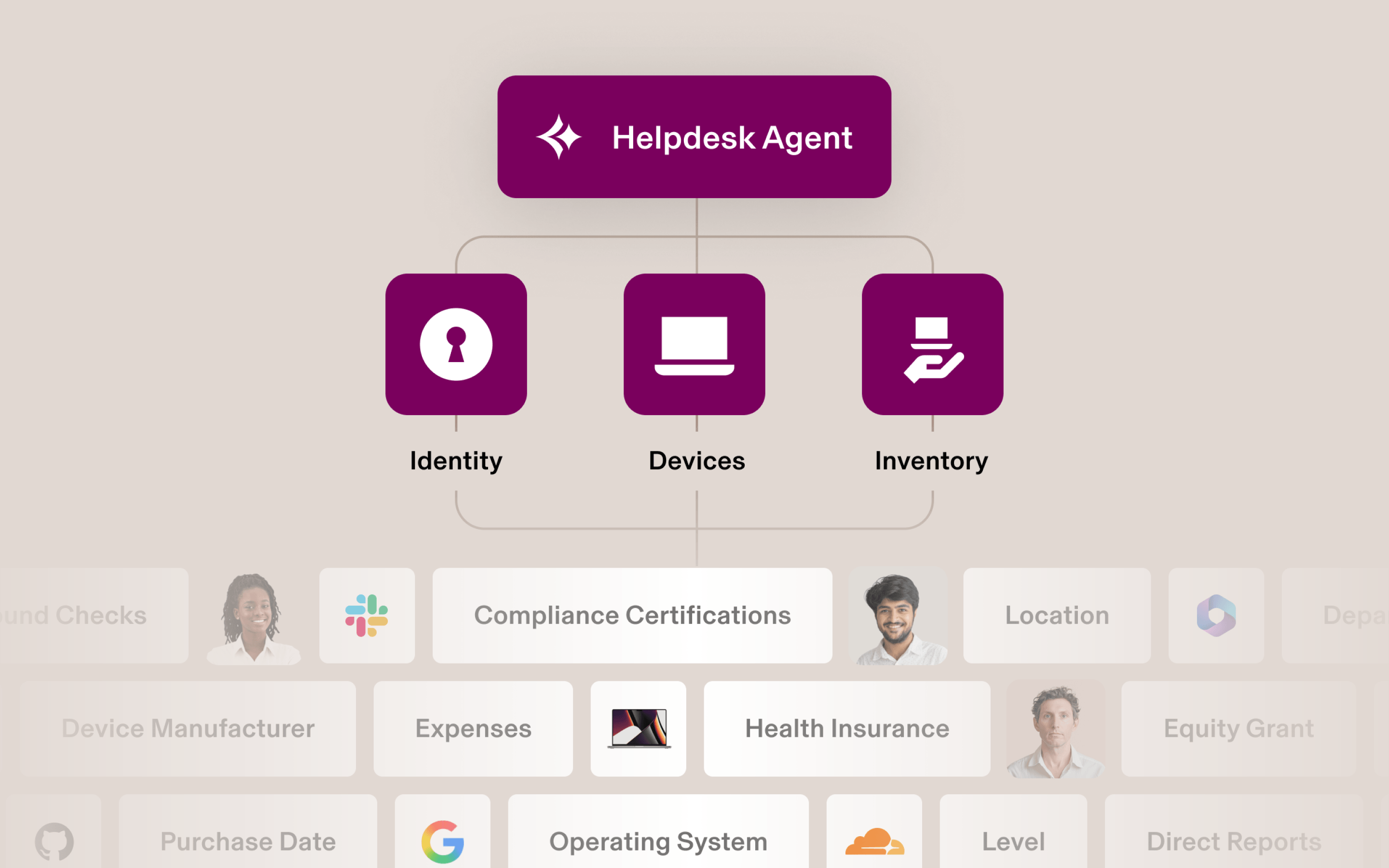
Helpdesk uses the employee, policy, app, and device context already in Rippling to do that work. It can answer questions, troubleshoot issues, route approvals, or take supported actions across Rippling IT. Admins decide what runs automatically, what needs approval, and what escalates. Every request and action remains visible and logged.
That means routine requests are resolved before they reach an admin, without losing the control or audit trail that IT relies on. Employees get help faster. IT spends less time repeating known steps and more time on issues that need judgment.

How Helpdesk works
Consider a familiar IT request: an employee tells Helpdesk, "My laptop is slow." Helpdesk doesn't begin with a generic troubleshooting script. Because it is built into Rippling, it can identify the employee, the device assigned to them, and the company policies that apply.
If the device is enrolled in Rippling MDM, Helpdesk can inspect details such as the laptop's age, its memory usage pattern, and which applications are running. It uses those signals to narrow down the cause and determine the next step.
If an application is consuming too much memory, Helpdesk can guide the employee to close it and restart the laptop. If troubleshooting doesn't resolve the problem and the device meets the company's replacement criteria, Helpdesk can start a replacement through Rippling Inventory Management. The replacement can proceed automatically or wait for approval, based on the company's policy for that role, tenure and device type. If the Helpdesk agent cannot resolve the issue, it escalates the request with the employee, device, and troubleshooting context already attached.
The employee gets help without waiting for an admin. IT keeps control over what runs automatically, what requires approval, and what escalates. The request and actions are recorded in an activity log.

Agentic support built into your IT stack
IT defines exactly what the agent is allowed to do and retains visibility with a full activity log covering every request, resolution, and escalation. There is no tradeoff between compliance and automation. You set the rules, the Helpdesk agent enforces them.
As recurring requests emerge, Helpdesk can suggest automations or reusable agent skills to handle the next one with less manual work.
Employees get help sooner, and admins can turn their attention from routine requests to strategic IT issues.
Start resolving tickets on arrival. See Rippling Helpdesk in action.
Disclaimer

Author
Niki Sri-Kumar
VP Product, IT
Explore more

Oct 8, 2026
|
10 min
An IT support request is two problems. We stopped building it as one
Rippling Helpdesk separates two jobs that are often blended in AI support: interpreting ambiguous requests and executing governed actions. This post explains how the system diagnoses device issues, evaluates replacement requests through permissions and policy, fulfills approved work, and learns from unsupported requests.

Sep 16, 2026
|
7 min
Your Help Desk Queue Doesn't Need More Headcount, It Needs an AI Help Desk
IT leaders Todd Horner and Matt Lombardo break down why password resets and access requests keep clogging the help desk queue, and how an AI help desk resolves them before they become tickets.

Aug 20, 2026
|
8 min
Introducing Rippling AI Governance: Get your AI house in order
Rippling AI Governance connects AI activity to the employee graph, helping companies control AI usage and spend, secure access to models and tools, and manage agent identity, all in one platform.

Sep 4, 2026
|
6 min
We use Rippling to run Rippling. Here's what that looks like for IT.
Rippling runs its own EMEA IT operations on Rippling. See how 200+ employees handle password resets, access requests and device swaps themselves through Rippling AI, freeing IT to focus on the work that actually needs a human.

Sep 16, 2026
|
3 min
How IT teams automatically alert employees when their device shows high RAM usage using Rippling IT
Learn how IT teams use Rippling Device Management and Workflow Studio to detect high RAM usage and automatically alert employees before performance issues occur.

Oct 29, 2026
|
7 min
How Rippling AI Keeps Your Passwords and Access Secure
Rippling AI never gets standing access to your passwords. Here's exactly how self-serve password resets and AI-driven website logins work, and why neither one hands over your credentials.
Aug 21, 2025
|
4 min
3 Zendesk tricks to help your support team hit their SLAs every time
Learn 3 practical ways to automate Zendesk support using Rippling's workflows, from managing urgent tickets to preventing missed SLAs.

Aug 21, 2025
|
5 min
Go beyond basic automation with Workflow Automator
Go beyond basic automation with Rippling's Workflow Automator to streamline complex processes and boost efficiency.
See Rippling in action
Increase savings, automate busy work, and make better decisions by managing HR, IT, and Finance in one place.